
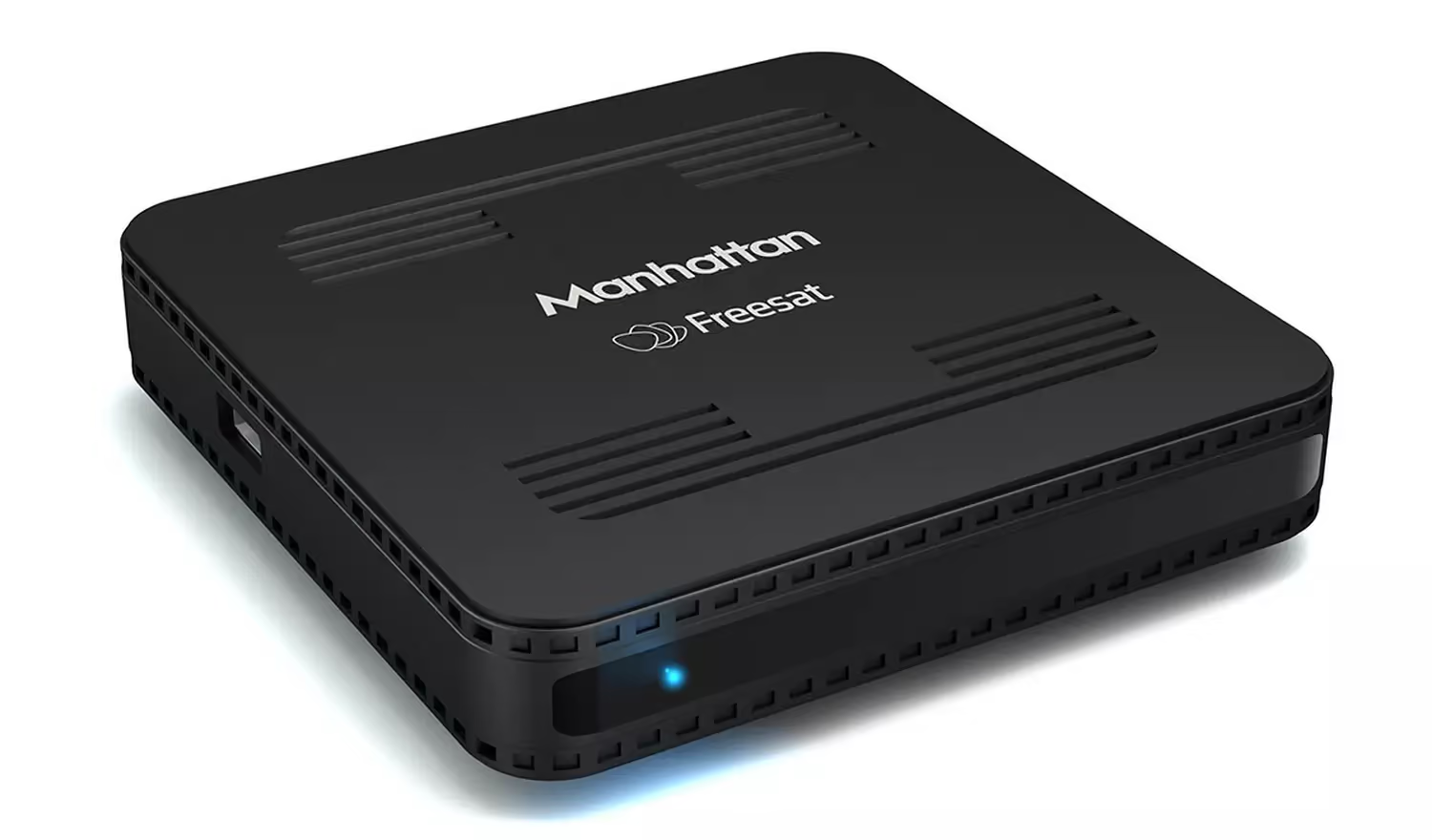
The Manhattan SX Has an Ethernet Port — But It Cannot Stream
This one catches people out, and the reason is sitting on the back of the box. The Manhattan SX has an Ethernet socket on it, making it look like the start of an internet TV setup. But it's not, sadly.
If you've looked at that socket and wondered whether a VPN router would get iPlayer or ITVX going on the box, the answer is no — and the reason has nothing to do with being abroad.
And if you've come to this because the dish has stopped being dependable, and you want to move your UK television onto the internet instead, that's a sound instinct. The SX simply isn't the box that does it.
None of that leaves you stuck. What you're after does exist — UK television delivered over the internet rather than off a dish, catch-up included — and we come to it below. First, why the SX can't.
What the SX Actually Is
It's a satellite receiver. Around £70, deliberately plain, and Manhattan are upfront about it — their own description leads with the fact that there are no apps to navigate. You point a dish at it, it decodes Freesat, and it puts live channels on screen with an eight-day guide.
That's the whole job, and for a lot of people it's genuinely the right box. No menus to learn, nothing to sign into, nothing to update. It just shows television.
So Why the Ethernet Port?
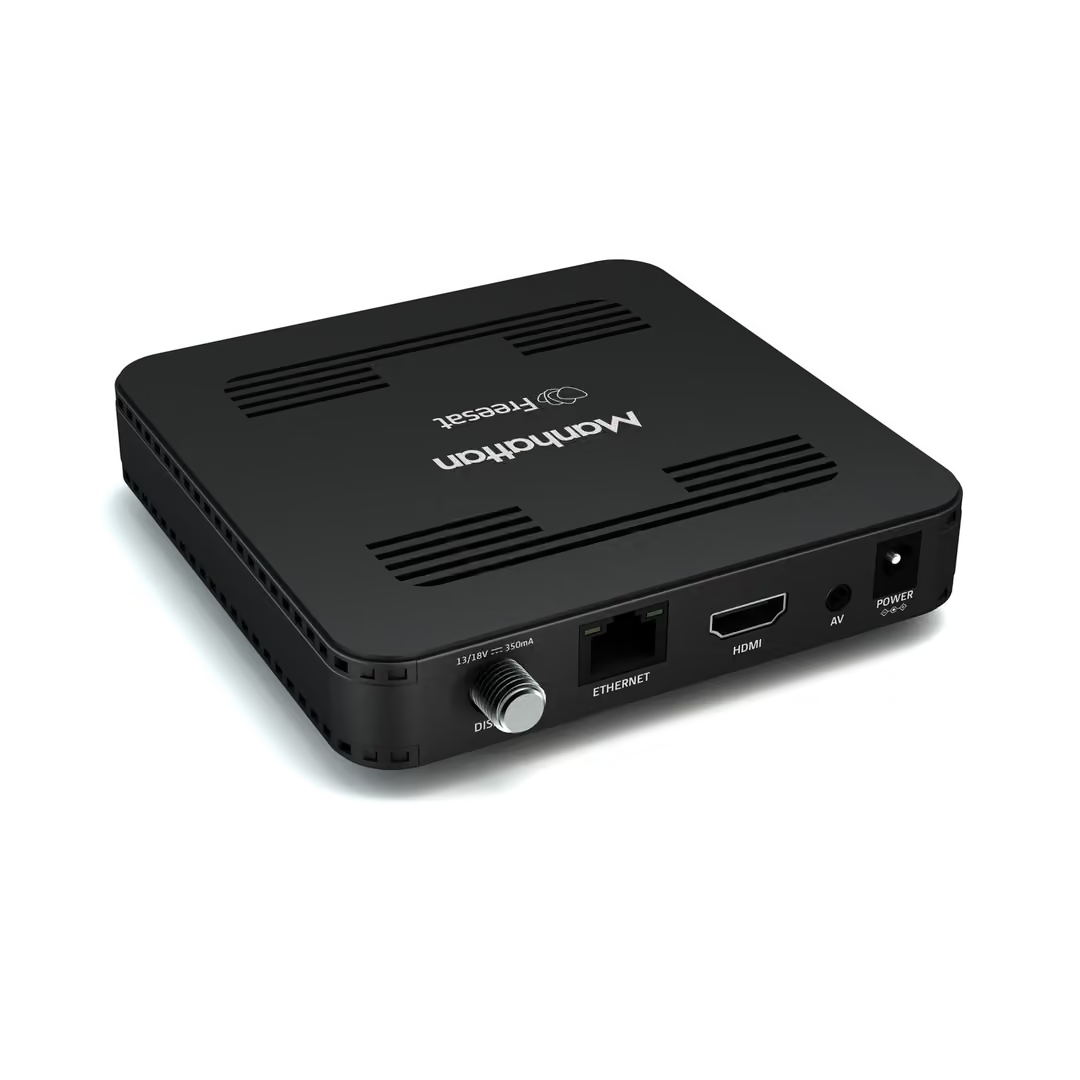
For software updates. That's the entire purpose, and Manhattan's spec sheet says so in as many words: connect it to a router to receive updates. There's Wi-Fi built in as well — unmentioned anywhere on the box — and it's there for exactly the same reason.
There's a further twist that makes the port even less useful than it looks. Manhattan now pushes updates over satellite instead, so the connection isn't needed for that either. The socket is effectively vestigial — real, wired in, and doing nothing you'd notice.
You can see why it misleads. A network port on a TV box usually means catch-up. On this one it doesn't, and nothing on the front of the box tells you that.
What This Means Abroad
Here's the part worth being precise about, because it cuts both ways.
An SX pointed at a dish within the satellite footprint carries on working overseas. That's exactly why plenty of expat households in Spain and France own one. The limitation isn't that it stops abroad — it's that it never had catch-up in the first place, in Britain or anywhere else.
The other way is the one we hear about more. Outside the UK beam you're relying on spillover rather than coverage, and that's a signal where obstructions and weather do a lot of the deciding — so a picture that served a household for years can stop being something they can count on.
When that happens, the SX has nothing to fall back on. A box with catch-up apps still has a second route to the broadcasters, over the internet. This one has no route at all, which is why the dish isn't one of its options — it's the only one.
So there's no iPlayer on it to be blocked, no ITVX to unblock, and no app checking where you are. If you want to watch something after it aired, the SX was never going to be the box that did it.
Why a VPN Router Will Not Change This
A pre-configured VPN router changes one thing: where your connection appears to be. Give a device a UK residential IP and the apps on it stop refusing to play.
That's powerful when there are apps involved. On the SX there are none, so there's nothing for the router to work on. Buying one for an SX alone would leave you with a good router and the same box you started with.
We'd rather you knew that before ordering than after. Where the router does earn its keep is the setup below.
What Does Reach Catch-Up Abroad
If on-demand is what you're missing — or the dish is letting you down — the answer is a Freely box rather than a satellite one. Freely delivers free-to-view UK television over the internet, with the broadcaster apps included, so there's a great deal more than a live channel list.
Manhattan make one of those too, which is where some of the confusion starts. The Manhattan Aero and the Netgem PLEIO are both Freely boxes, and both need a UK residential IP to work overseas — which is precisely the job a VPN router does. Pair either with a router and catch-up behaves as it does at home.
If you're weighing up satellite against internet delivery more broadly, our guide on using Freesat abroad covers why so many households are moving across.
Frequently Asked Questions
Does the Manhattan SX connect to the internet?
It can, by Ethernet cable or Wi-Fi, but only to collect software updates. Manhattan now sends those updates over satellite instead, so most owners never connect it at all. There are no catch-up or on-demand apps on the box, so there's nothing on it that would use an internet connection to stream.
Will a VPN router make the Manhattan SX stream UK TV?
No, and we'd rather say so before you buy one. A VPN router changes where your connection appears to be, which only helps if the device has apps that check your location. The SX has none. To watch catch-up abroad you need a Freely box such as the Manhattan Aero or the Netgem PLEIO, and that's where a router earns its place.
What is the difference between the Manhattan SX and the Manhattan Aero?
They are opposite designs from the same brand. The SX is a satellite receiver that pulls Freesat channels off a dish and shows them live. The Aero is a Freely box that receives UK television over the internet and includes the broadcaster catch-up apps. If you want on-demand abroad, the Aero is the one to look at.
I am losing Freesat channels abroad. Will a VPN router bring them back?
No. A router works on your internet connection, not your dish — it won't change what the dish receives, and nothing we supply will improve a satellite signal. What it does do is make internet-delivered UK television work abroad, so the practical route is a Freely box on a UK residential IP rather than trying to rescue the reception.
Final Thoughts
The Manhattan SX is a decent, honest little receiver that does one job well. The Ethernet port on the back is simply not part of that job, and the box makes no promises it doesn't keep — the confusion comes from what we all now expect a network socket to mean.
If you own one and you're happy watching live channels off a dish, nothing here needs fixing. If what you actually want is catch-up while you're abroad, that's a different box, and adding a router to the SX won't bridge the gap.
At Stream UK TV Abroad, we supply pre-configured SmartHub VPN routers and Freely TV boxes — the Netgem PLEIO or the Manhattan Aero — designed to work together, giving you a simple way to watch UK TV abroad on the setup that suits you.







