
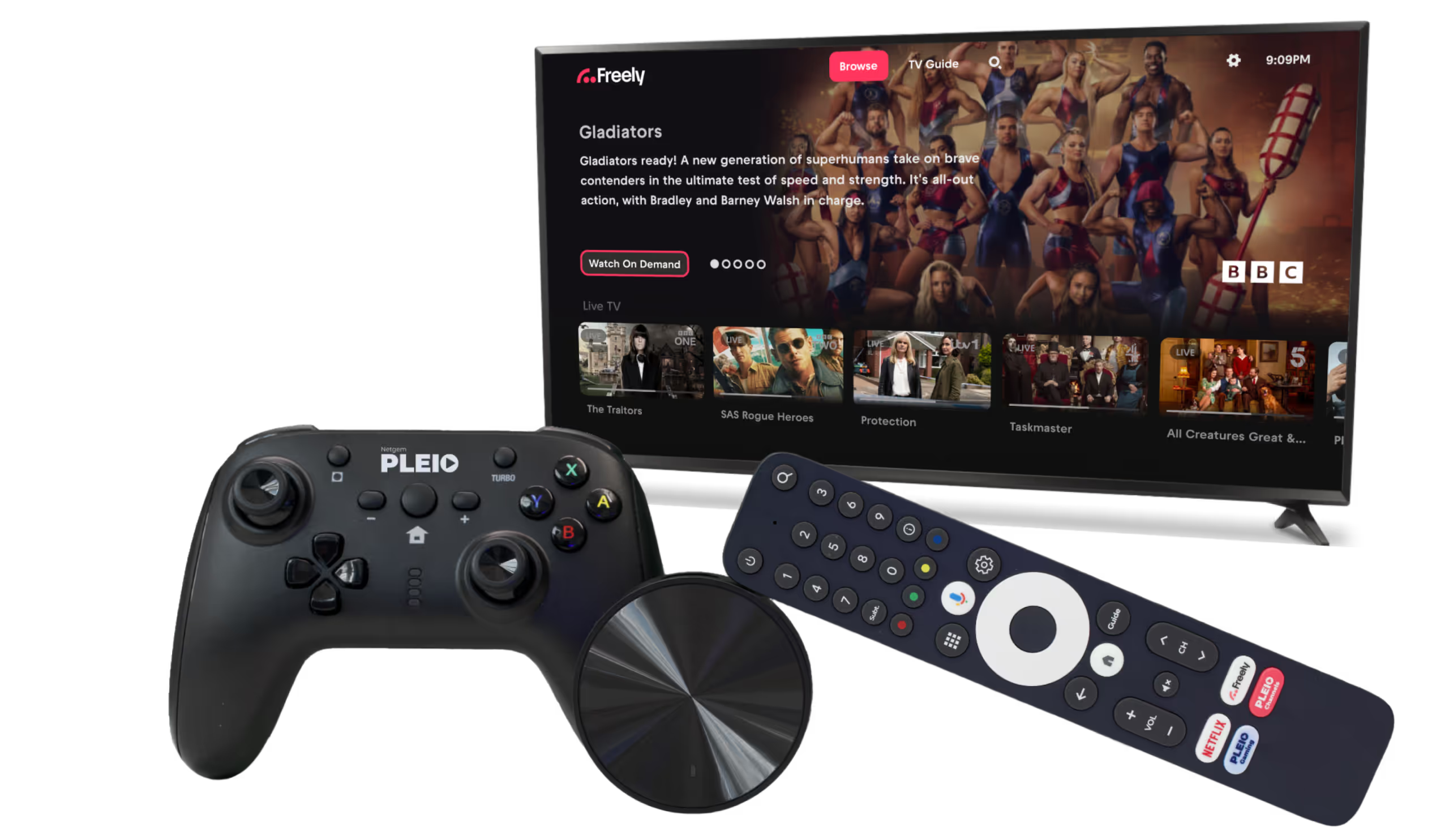
How to Use the Netgem PLEIO Freely TV Box Abroad. The Simple Way to Watch UK TV Anywhere
The Netgem PLEIO Freely TV box is one of the newest ways to watch British free-to-view channels without an aerial or satellite dish. It brings together live BBC, ITV, Channel 4 and Channel 5, plus catch-up apps, all through your internet connection.
Take your Freely box abroad, or live outside the UK full-time, and you'll hit a problem fast. Freely relies on UK content providers, and those services are geo-blocked outside Britain.
It's very easy to use a Freely or Netgem PLEIO box abroad, as long as your internet connection looks like it's in the UK. The most reliable way to do that is a SmartHub VPN router on a genuine UK residential IP address.
This guide explains how it works, why standard VPN apps won't fix it, and how to get smooth, uninterrupted Freely TV anywhere in the world.
Deciding between boxes? See our Manhattan Aero vs Netgem PLEIO comparison.
What Is the Netgem PLEIO Freely TV Box?
The Freely TV platform delivers all major UK free-to-view channels over the internet instead of using an aerial.
The Netgem PLEIO box provides:
- Live BBC, ITV, Channel 4 and Channel 5 without an aerial
- Integrated catch-up apps such as BBC iPlayer, ITVX, Channel 4 and Channel 5
- Universal search across channels and on-demand
- Programme restart on supported channels
- Simple HDMI plug-in setup
It works well for travellers, motorhomes, holiday homes and British expats, as long as the box can contact UK streaming servers.
Why Freely and Netgem PLEIO Do Not Work Abroad
Freely relies entirely on a UK internet connection. Every major service checks your location and blocks access if you're outside the UK.
Typical errors include:
- Content not available in your region
- BBC iPlayer only works in the UK
- ITVX cannot play this video
This happens because your IP address is not in the UK.
The PLEIO carries the Google Play store, so you can install a VPN app on it — unlike the Manhattan Aero, which runs a closed platform and can't take one at all. But installing one doesn't help. BBC iPlayer and ITVX aren't checking your device — they're checking your address, and a commercial VPN app arrives on a shared data-centre IP they already know.
The Reliable Fix — Use a VPN Router with a UK Residential IP
A pre-configured VPN router solves the location issue by making your entire home network appear to be in the UK.
Your Netgem PLEIO box connects to the VPN router by Wi-Fi. The VPN router then connects through a UK residential IP address that looks exactly like a normal household broadband connection.
This means:
- Freely live channels work normally
- BBC iPlayer, ITVX, Channel 4 and Channel 5 load without errors
- Catch-up and channel restart functions work correctly
- No apps, no sideloading
You simply plug the router in and connect it to your existing internet connection.
How to Set Up Freely Abroad Using a VPN Router
- Connect the VPN router to your ISP router with an Ethernet cable
- Power on the VPN router
- Connect your Netgem PLEIO Freely box to the VPN router’s Wi-Fi
- Open Freely and start watching live and catch-up channels as if you were in the UK
Setup takes only a few minutes and works with pretty much any internet provider in most countries.
Why a Separate VPN Router Is Better Than Using VPN Apps
- A VPN app on the box connects through a data-centre IP that iPlayer and ITVX already block
- A VPN router works on the entire home network
- No slowdowns from software-based VPNs
- Works on Smart TVs, Firesticks, Apple TV, laptops, tablets and consoles at the same time
It's the most reliable method for smooth UK streaming abroad.
Flexible Subscription Options
Each router includes access to a UK residential IP with subscription terms of:
- 1 month
- 3 months
- 6 months
- 12 months
Each term runs continuously, but you can let it lapse and renew whenever you next travel. There are no penalties or reactivation fees.
Frequently Asked Questions
Does the Netgem PLEIO Freely box work abroad?
The box itself works anywhere, but Freely and its channels are geo-blocked outside the UK, so out of the box it won't play abroad. Put the PLEIO behind a VPN router with a UK residential IP and Freely's live channels, iPlayer, ITVX, Channel 4 and Channel 5 all load exactly as they do at home.
Can I just install a VPN app on the PLEIO?
You can — the PLEIO has Google Play, unlike the Manhattan Aero — but it doesn't help. iPlayer and ITVX check your address, not your device, and a VPN app arrives on a data-centre IP they already block. A UK residential IP on the router is what fixes it.
How do I set the PLEIO up to work abroad?
Connect a pre-configured VPN router to your internet by Ethernet, then connect the PLEIO to that router's Wi-Fi and open Freely. It takes a few minutes, works with almost any provider, and there's nothing to install or sideload on the box.
Does Freely work in Spain, Ireland or France on the PLEIO?
Yes — anywhere with internet. Because the router gives the PLEIO a UK residential IP, Freely sees an ordinary UK home wherever you are, so it works the same in Spain, Ireland, France or further afield.
Final Thoughts
The Netgem PLEIO Freely TV box is an excellent internet-based alternative to aerials and satellites, but it's designed for use inside the UK.
To use it abroad, you need a UK residential IP address that the streaming services trust.
A VPN router with a UK residential IP provides exactly that. It offers plug-in simplicity and consistent streaming quality.







