
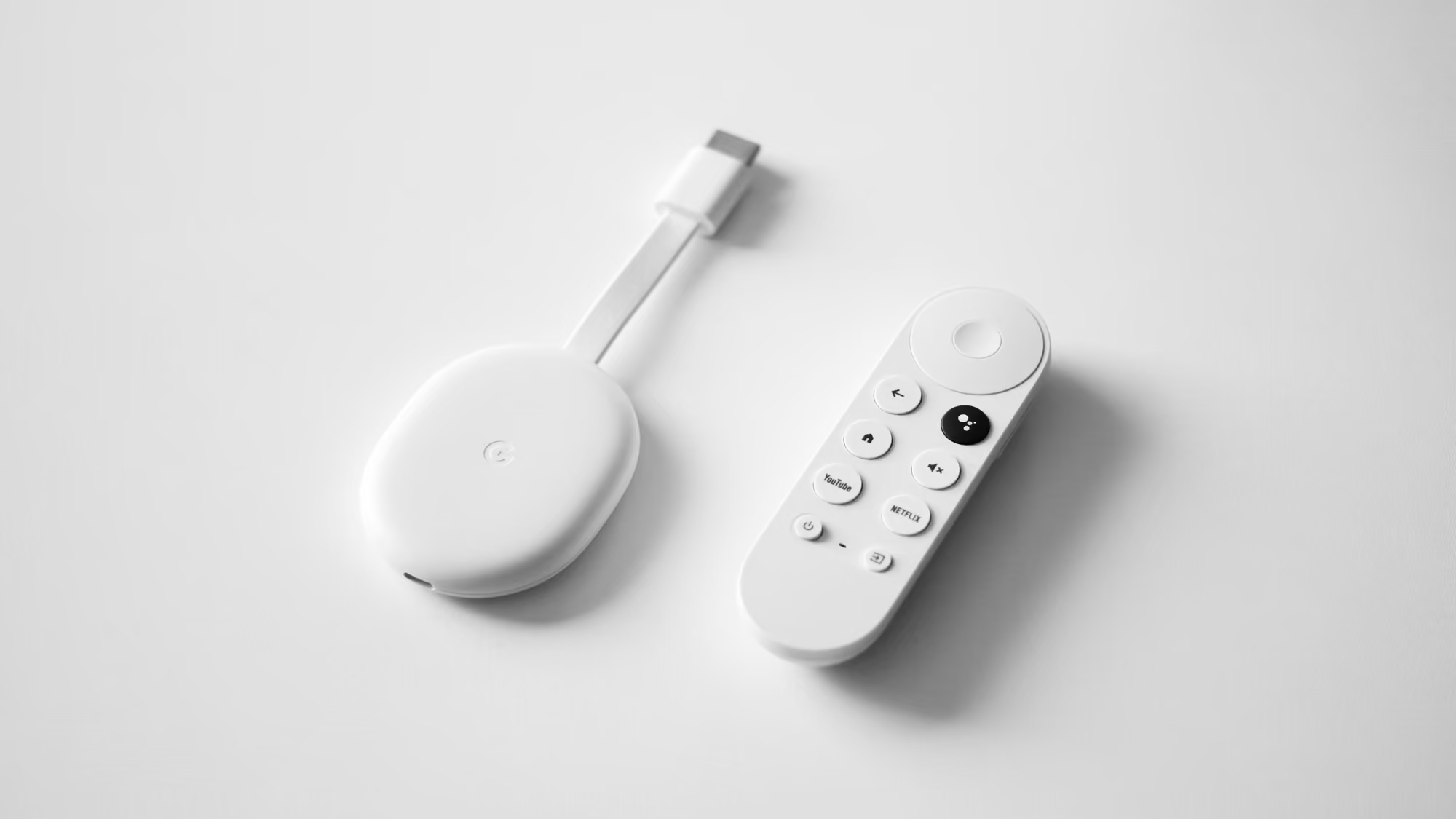
Google TV Is Tightening Sideloading — the Safe Way to Watch UK TV Abroad
Google isn't banning sideloading on Google TV and Chromecast — but it is making it harder. Play Protect has started removing apps it flags as harmful, and Google is phasing in developer checks that add warnings and extra steps before an app from outside the Play Store will install.
For anyone who just wants to watch UK TV abroad, this is quietly good news — sideloading was always the fragile, risky route, however easy the blogs and YouTube guides made it look. The clean, legitimate way to watch is a Freely box behind a router with a UK residential IP — nothing to sideload, and nothing for Google to remove.
Here's what's actually changing, why it was never really about VPNs, and how a Freely box and a pre-configured router keep you watching without touching a single sideloaded app.
What's Actually Changing on Google TV
Google TV and Chromecast run on Android, so historically you could sideload apps — install them from outside the Play Store — much as you can on an Android phone. That still works today, but Google is wrapping it in friction from two directions:
- Play Protect is removing flagged apps. Google's built-in security has begun automatically uninstalling apps on Google TV boxes that it judges harmful, and people have watched sideloaded apps quietly disappear.
- Developer checks are phasing in. Apps will need to come from a verified developer to install on certified devices — enforced first in a handful of countries from late September 2026, and more widely through 2027, with warning screens and an advanced route for anyone who insists on pushing past them.
So sideloading isn't dead — it's becoming the fiddly, warned-against option. In Europe, the tighter developer checks are largely a 2027 matter, with Play Protect's removals the part that's already live.
Why This Isn't Amazon's Fire TV Situation
It's worth being precise, because the two get lumped together. Amazon took the blunter route: its new Fire TV Sticks run Vega OS, which isn't Android at all. The Android VPN and IPTV apps people used to sideload simply can't run on a Vega device — there's no Android underneath for them to install onto.
Google TV is still Android, so nothing has been torn out. The change is subtler: the apps still work, but sideloading them is being hedged with checks and removals. Different mechanism, same direction of travel — the streaming stick is quietly turning into a managed appliance you don't fully control.
Why This Is Good News if You Just Want UK TV
Here's the part that's easy to miss: most people who sideload apps onto a Google TV stick aren't pirates or power users. They just want their UK telly, they've followed a blog post or a YouTube walkthrough, and they've little idea what they've actually installed or what it's doing in the background.
That's exactly where the risk sits. The pirated "fully loaded" IPTV apps those guides push are illegal and unreliable, and they're a well-known way to turn a cheap box into a malware magnet and drag your connection to a crawl. Some free VPN and sideloaded apps have been known to go further, quietly routing other people's traffic through your connection — so your home internet ends up used for things you never agreed to.
So Google clearing these off Google TV boxes is really protecting the people who didn't know to worry — which, if you just want reliable UK telly, is no bad thing.
It also settles the VPN question. If your plan was to sideload a VPN app, the tighter checks may catch it — but a VPN app was never a dependable way to get UK TV anyway. UK services check the kind of address you arrive from, not the device, and a commercial VPN uses a shared data-centre address they recognise and block. That's the whole reason a UK residential IP behaves differently.
The Safe Route: a Freely Box Behind a VPN Router
Rather than sideload anything, you change where the UK connection comes from. A pre-configured VPN router connects through a genuine UK residential IP, so every device on its Wi-Fi looks like an everyday British home. You then plug in a Freely box — we supply the Netgem PLEIO and Manhattan Aero — for your UK channels.
Freely is UK television over your broadband — BBC, ITV, Channel 4, Channel 5 and a growing set of streaming channels, all live and free-to-view — with no VPN app to install and nothing to sideload. It does check that you're in the UK, and the router answers that: behind a UK residential IP, a Freely box works exactly as it does at home.
How to Watch UK TV Abroad, Step by Step
- Order a pre-configured VPN router and a Freely box from Stream UK TV Abroad — we ship worldwide on UPS Express (usually one to three working days to Europe), or next-day by DPD to a UK address if you'd rather pack it before you go
- Plug the router into your internet abroad — home broadband, 4G/5G or Starlink
- Connect the Freely box to the router's Wi-Fi
- Open Freely and your usual apps — BBC iPlayer, ITVX and the rest — and sign in to your own UK accounts
There's nothing to sideload and no warnings to click past. The router supplies the UK residential IP; the Freely box just plays your channels.
One Router, the Whole Household
The real advantage of putting the connection in the router is that the Freely box isn't the only thing that gains from it. Every device on that Wi-Fi — the phones, a tablet, the laptop, the smart TV in the other room — can stream at once, each one looking like a normal UK household. It's a one-time setup that covers everyone staying under the same roof, for the whole trip.
Google TV Sideloading and Freely Abroad: FAQs
Can you still sideload apps on Google TV or Chromecast?
Yes, for now — Google TV is still Android, so sideloading works. But it's getting harder: Play Protect is removing apps it flags as harmful, and developer checks are phasing in from late September 2026 in a few countries and more widely through 2027, adding warnings and extra steps.
Does this stop you putting a VPN on Google TV?
It can catch VPN apps from unverified developers, but a VPN app was never a reliable way to get UK TV. Broadcasters check the kind of address you arrive from, and a commercial VPN uses a shared data-centre IP they recognise and block. A UK residential IP from a router looks like a normal UK home instead.
Is Google TV the same as Amazon's new Fire TV Sticks?
No. Amazon's new Fire TV Sticks run Vega OS, which isn't Android, so the Android apps people used to sideload can't run on them at all. Google TV is still Android — the apps work, but sideloading them is being wrapped in checks and removals.
Do I need to install anything on the Freely box?
No. With a VPN router there's nothing to sideload or set up on the Freely box. You connect it to the router's Wi-Fi and open your channels, and the router provides the UK residential IP so everything sees an ordinary UK household.
Final Thoughts
Google TV isn't locking you out — but it is steadily making sideloading the awkward, warned-against option, and Play Protect is quietly clearing out the risky apps that gave cheap boxes their bad name. For most people that's a step forward, not a loss, because chasing a sideloaded app was never the steady way to watch UK TV.
Put the UK residential IP on the router and pair it with a Freely box, and there's nothing to sideload and nothing for Google to remove. Order ahead so you're set up before you travel, and the whole household can watch from day one.







