

How to Watch Sky Stream Abroad
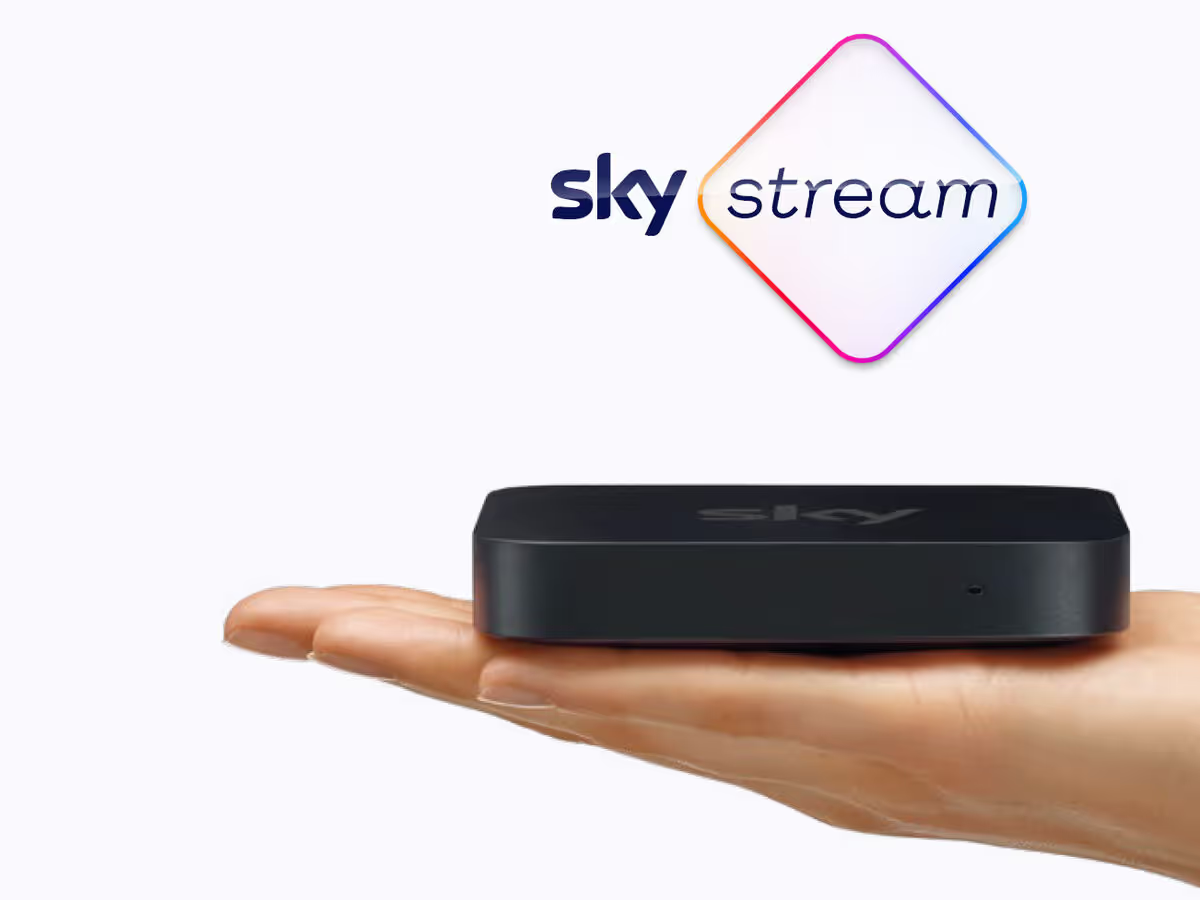
If you’re a Sky Stream customer, you already enjoy the convenience of watching your favourite UK shows on the compact (and portable) Sky Stream ‘Puck’.
Unlike traditional Sky services, this device doesn’t require a satellite dish—instead, all channels and content are streamed over the internet.
But what happens when you’re travelling abroad? Can you still access your Sky content outside the UK?
Why Sky Stream Doesn't Work Abroad
Like many streaming platforms, Sky imposes geographical restrictions, meaning if you try to use your Sky Stream ‘Puck’ outside the UK, you’ll likely be met with an error message or a blocked connection.
This happens because Sky’s geo-blocking systems detect that your internet connection is coming from outside the UK, preventing access to UK-only content.
The Best Way to Watch Sky Stream Abroad: A VPN Router with a UK Residential IP
A UK Virtual Private Network (VPN) allows you to mask your location, making it appear as if you’re accessing the internet from the UK—even when you’re abroad. But not all VPNs work reliably with Sky.
The best solution for watching Sky Stream abroad is to use a pre-configured VPN router with a UK residential IP address. Here’s why:
Bypasses Sky’s Geo-Blocking
Sky can detect and block regular VPNs, but a residential IP VPN looks like a genuine UK home broadband connection, avoiding detection.
Seamless Streaming Experience
Unlike free or standard VPNs, a residential VPN provides stable speeds and uninterrupted streaming with no buffering.
No Manual Setup Required
With a pre-configured VPN router, all your devices—including your Sky Stream ‘Puck’—are instantly connected to the UK VPN. No need to install or configure apps!
Works with Other Streaming Devices
You can also connect additional devices like a Roku, Fire TV Stick, or Smart TV to enjoy all UK streaming services.
Get a Pre-Configured VPN Router for Sky Stream
At Stream UK TV Abroad, we offer pre-configured VPN routers with a UK VPN specifically optimised for Sky Stream ‘Puck’. Our VPN uses residential IP addresses, ensuring your connection mimics a real UK broadband line—allowing you to access Sky abroad without hassle.
- Reliable, always-on UK connection
- No complicated setup—just plug in and start streaming
- Supports multiple devices, including Smart TVs, Fire TV Sticks, and more
Taking a Sky Stream Puck Abroad: What You Need to Know
Your Sky Stream puck works with our VPN routers — you simply connect it to the router and it behaves as it would at home. But there's one important thing to be aware of before you travel with it.
Sky may apply what its own contract calls an Additional Location Charge — you will also see it described as an out-of-home fee — of around £26 per box, per month. It's based on the price of your subscription at your address, so treat £26 as typical rather than a flat rate.
Under the contract the test is your address — but the broadband connection your puck arrives on is what Sky actually sees, so these are the two things that bring it to their attention:
- Your puck frequently connecting through a different Internet Service Provider (ISP)
- More than one puck on the same account connecting through different ISPs
So what causes problems is the internet provider changing, not the puck moving. Sky emails or messages twice before charging you; if it happens again after that, the charge is applied automatically each month, with no further reminder.
This is exactly what an always-on VPN router prevents. If you keep your Sky Stream puck connected to one of our VPN routers at all times — including when you're in the UK — Sky always sees the same UK residential IP, no matter where you are.
The ISP never changes, so you can move your puck between locations freely — even if you travel regularly.
And as long as any additional pucks connect through that same router too, multiple pucks won't trigger it either.
For shorter trips, Sky Go is often the simpler option — it's app-based, so there's no puck to move and nothing to unplug at home, though it still needs the router's UK IP abroad. And if you'd rather not use your Sky account abroad at all, a NOW pass is a flexible alternative that gives you Sky content without moving any hardware.
Whichever route you choose, the football follows the same rule: most live Premier League matches are on Sky Sports, and it's one constant UK residential connection that keeps them flowing abroad. Our full guide to watching the Premier League abroad has the detail.
More on Sky abroad
The rest of the Sky picture — why the cheap routers fail, when Freely is the better answer, and Sky Go’s own VPN problem.
Sky Stream Abroad: Why Cheap VPN Routers Fail

Sky Stream Abroad Problems? Why Many Are Switching to Freely

NordVPN/ExpressVPN Not Working on Sky Go? The 2026 Fix
Need Help? Contact Our UK-Based Support Team!
If you have any questions or need assistance, our friendly support team is available via:
- Telephone
Frequently Asked Questions
Can I take my Sky Stream puck abroad?
Yes. Your Sky Stream puck works with a VPN router — connect it to the router and it behaves exactly as it does at home, streaming over the internet with no dish. The router's UK residential IP is what gets it past Sky's geo-block abroad.
Will Sky charge me for using Sky Stream away from home?
It can. Sky's contract has an Additional Location Charge — an out-of-home fee of around £26 per box per month — and what triggers it is your puck connecting through a different internet provider, not the puck moving. Leave the puck behind one of our VPN routers everywhere, at home too, and Sky only ever sees one UK residential IP — there's nothing to flag.
Do I need to set anything up on the puck?
No. With a pre-configured VPN router, the puck and every other device — a Roku, a Fire TV Stick, a smart TV — connect to the router's Wi-Fi and are on the UK connection instantly. Nothing to install or configure.
Is Sky Go or a NOW pass easier for short trips?
Often, yes. Sky Go is app-based, so nothing moves and nothing gets unplugged at home — though abroad it still needs a UK residential-IP connection, which our routers provide. If you'd rather not take your Sky account abroad at all, a NOW pass is the flexible alternative.
Final Thoughts
Watching Sky Stream abroad really comes down to giving your puck a steady UK connection that Sky recognises, and keeping it always-on so the ISP never appears to change. A pre-configured VPN router with a UK residential IP is the most straightforward way to do that, and it should let you carry on watching much as you would at home while helping you sidestep the Additional Location Charge.







